
Auto Language Changes by IP Browser Language and Cookies
A multilingual website may open in an unexpected language after a user travels, connects through a VPN, changes browser settings, or clears site data. The website is usually making a guess based on location, browser preferences, or a language choice saved during an earlier visit.
This behavior is intended to reduce the work required to reach the appropriate version of a site. It becomes frustrating when the website treats an uncertain signal as a permanent instruction. A person in Switzerland may prefer English rather than German, French, Italian, or Romansh. A VPN exit server may also place the user in a country they have never visited.
Automatic language selection therefore works best as an initial suggestion. An explicit choice made through the website’s language selector should take priority and remain easy to change.
What Is Auto Language Switching and the 3 Most Common Mechanisms?
Automatic language switching occurs when a website selects or recommends a language version without requiring the visitor to choose it first. The change may happen on the server before the page loads or through JavaScript after the browser receives the page.
Three common signals are used.
IP Address (IP Geolocation)
How it works: The server estimates the visitor’s country or region from the public IP address and maps that location to a likely site version.
Characteristics: IP geolocation can be useful for suggesting a country store, currency, shipping region, or locally relevant language. It does not reveal which language an individual can read.
The result can also be misleading when the visitor is using a corporate network, mobile carrier, proxy, VPN, satellite connection, or an IP block registered in a different location. IP-based detection should therefore be treated as an estimate rather than a confirmed preference.
Browser Language Header (Accept-Language)
How it works: Browsers can send an Accept-Language request header containing preferred languages and relative weights, such as:
en-US,en;q=0.9,vi;q=0.8
The values indicate that US English is preferred, followed by other English content and then Vietnamese. HTTP defines the header as a way for a user agent to indicate preferred natural languages in a response.
Characteristics: Accept-Language is generally more relevant than IP location because it reflects browser or operating-system language settings. It is not a perfect record of the user’s current intent.
Browsers may shorten the language list for privacy, and some users never adjust the default settings on a shared, managed, or newly purchased device. A visitor may also deliberately want to read a page in a language different from the browser interface. MDN consequently describes the header as a hint and states that it should not override an explicit language choice.
Cookies and Local Storage
How it works: After a visitor manually selects a language, the site can save a small preference value in a cookie or in browser storage. Cookies can be returned to the server with later requests, while localStorage is read by scripts for the same origin and normally persists across browser sessions.
Characteristics: A saved manual preference is normally the strongest signal because it records an action taken on the site itself.
It is not permanent or universal. The preference can disappear when the user clears browser data, blocks storage, uses private browsing, changes browsers, moves to another device, or visits a different domain or subdomain that does not share the same storage.
A sensible priority order is:
- Language selected manually by the user.
- A saved account, cookie, or local-storage preference.
- Browser language as an initial suggestion.
- IP location as a regional hint or final fallback.
Why Is Automatic Language Switching via IP Frustrating for Users?
Location does not equal language preference. Multilingual countries, international workplaces, tourism, immigration, and cross-border travel make country-to-language mapping unreliable.
Widespread VPN Usage: A VPN changes the IP address visible to the website. If the exit server is in Germany, a site may display German even when the visitor’s browser and account are configured for English.
User Disruption: A forced redirect can move someone away from a URL shared by a colleague, search result, or support article. The user may then struggle to return to the requested language, especially when the navigation labels have also changed.
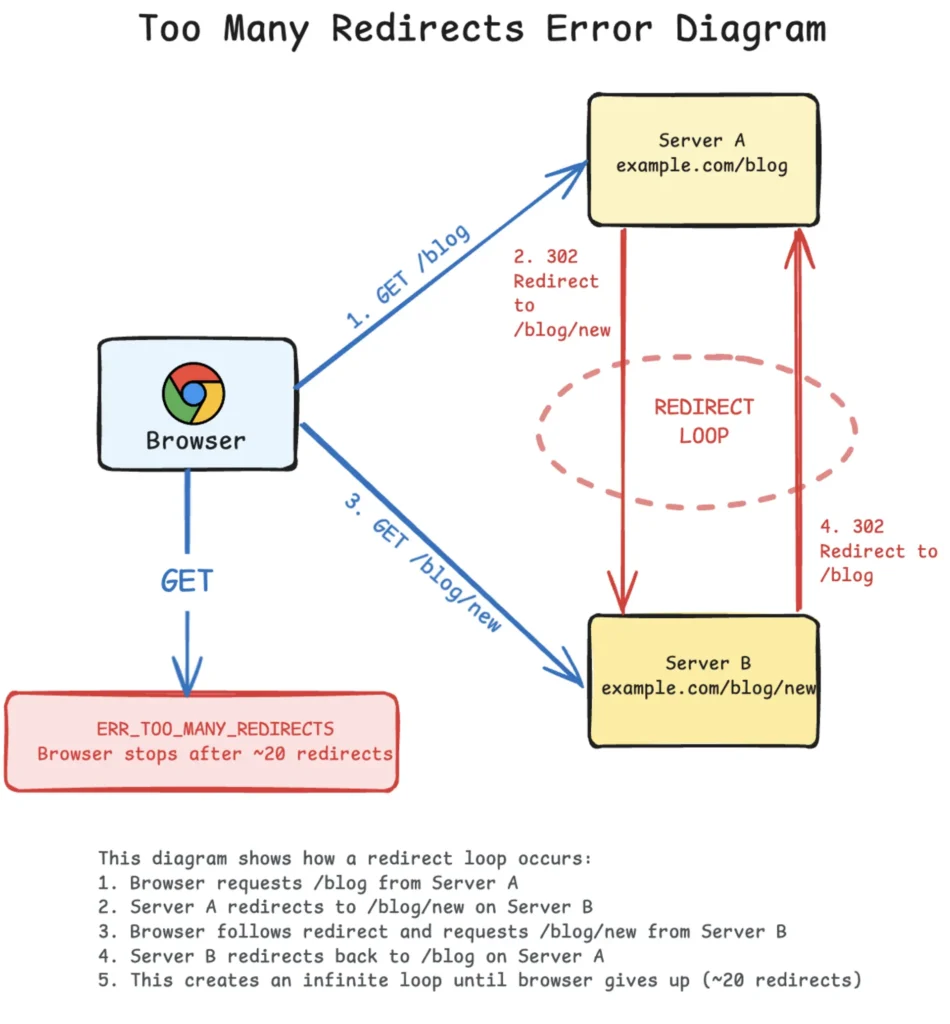
Repeated Redirects: Poorly designed systems may redirect the user again after every page load, even after a manual language change. This commonly occurs when the IP rule is evaluated before the saved preference.
Incorrect Regional Assumptions: Language, country, currency, tax treatment, inventory, and shipping destination are related but separate settings. Selecting French content should not automatically change a delivery country, and selecting a country store should not prevent the user from reading another language.
Google recommends avoiding automatic redirects from one language version to another based on an assumed user language. It also recommends providing visible links that allow visitors to select another version themselves.
Detailed Comparison of Pros and Cons of Auto Language Switching Methods
No detection method is completely accurate or automatically safe for SEO. The result depends on whether it is used as a suggestion, a default, or a forced redirect.
| Evaluation Criteria | IP Geolocation | Browser Accept-Language Header | Stored Cookies / Local Storage |
|---|---|---|---|
| Accuracy to Needs | Estimates location rather than language ability | Reflects configured language preferences but may not match the current task | Records a previous choice made on that site |
| User Experience (UX) | Useful for a suggestion; disruptive when enforced | Suitable for selecting an initial default | Usually the most consistent option after a manual selection |
| Main Limitation | Affected by VPNs, proxies, travel, and shared networks | May reflect device defaults, a shortened list, or another user’s settings | Can be deleted, blocked, limited to one origin, or unavailable on another device |
| SEO Friendliness | Risky when it prevents crawlers from reaching other URLs | Risky if different content is served under one URL without crawlable alternatives | Safe only when separate language URLs remain crawlable and internally linked |
| Best Use Case | Suggesting a country, currency, or likely language | Selecting a first-visit recommendation | Preserving an explicit language selection |
A site does not need to ignore all automatic signals. The safer pattern is to present a small message such as “This page is also available in French” rather than replacing the requested page without consent.
URL Structure Guide for Multilingual Websites to Optimize SEO
Google recommends a separate URL for every language version instead of changing the main content at one URL according to cookies or browser settings. Separate URLs make each version easier to crawl, index, link to, and share.
1. Recommended URL Structures:
Subdirectories: example.com/en/ or example.com/vi/
Evaluation: Subdirectories keep all versions under one domain and are often practical for sites managed through one content system. They are not automatically superior for rankings, but they can be simpler to maintain.
Subdomains: en.example.com or vi.example.com
Evaluation: Subdomains can be useful when language or regional sites require separate hosting, applications, teams, or technical configurations. They require consistent cross-linking and independent technical monitoring.
Country-Code Top-Level Domains: example.fr or example.de
Evaluation: A country-code domain provides a strong country signal but usually represents a market rather than a language. A .ca website, for example, may still need separate English and French pages. Separate domains also create additional operational and maintenance work.
Query Parameters: example.com/page?lang=vi
Evaluation: Query parameters are not prohibited and can be crawled when they create stable, accessible URLs. Google documents valid parameter-based URL structures for crawlable pages.
Subdirectories or subdomains are often easier for users and site administrators to recognize, but the more important requirement is that every version has a consistent URL, can be reached through ordinary links, and does not depend entirely on cookies or JavaScript.
Serving different language content at exactly the same URL is more difficult for search engines. Google warns that locale-adaptive pages may not have every variation crawled, indexed, or ranked.
2. Proper hreflang Technical Implementation:
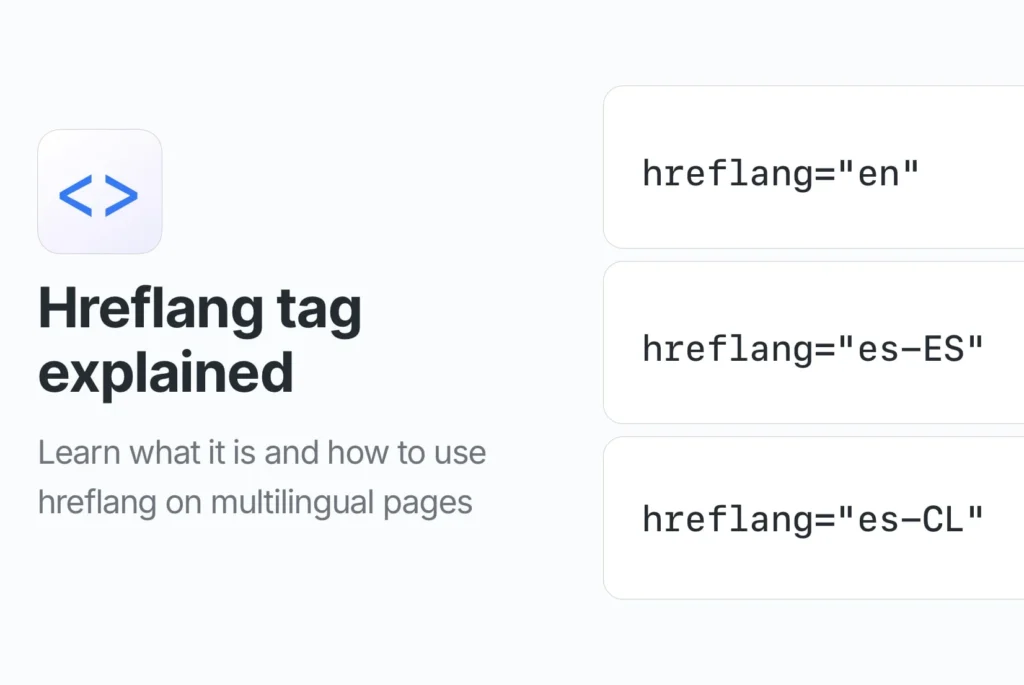
hreflang connects equivalent pages created for different languages or regions. Each page should reference itself and the corresponding alternatives, and those pages should link back to one another. Google may ignore annotations when the relationship is not reciprocal.
<link rel="alternate" hreflang="en" href="https://example.com/en/page" />
<link rel="alternate" hreflang="vi" href="https://example.com/vi/page" />
<link rel="alternate" hreflang="x-default" href="https://example.com/language-selector" />
The code can be placed in HTML, HTTP headers, or an XML sitemap. Google treats these as equivalent implementation methods, so using one correctly is normally easier than maintaining all three.
x-default identifies a language- and region-neutral URL for users whose settings do not match another listed version. It may point to a language selector, a general landing page, or the version the site considers the default. It does not mean that the visitor physically comes from an “unsupported region.”
Severe Technical Mistakes to Avoid When Setting Up Auto Language Switching
Hard IP Redirects Blocking Googlebot
It is incomplete to say that Googlebot crawls only from US IP addresses. Google uses US-based addresses as well as geo-distributed crawling from outside the United States. However, its default crawler addresses appear to be based in the US, and Googlebot requests do not include an Accept-Language header.
A site that exposes each language only after detecting a particular IP or header may therefore leave some versions undiscovered. Use crawlable language URLs, reciprocal links, and hreflang instead of depending on detection alone.
Overriding Manual User Choices
After the visitor selects English, that action should override IP and browser guesses. Keep the selected version during navigation and provide a clear way to change it again.
Do not redirect immediately back to the detected language. A user should also be able to open a copied language-specific URL without the site silently replacing it.
Hiding Language Selectors
Place the selector where it can be found consistently on desktop and mobile layouts. A labeled control such as “Language” is clearer than displaying flags alone because flags represent countries, not languages.
Each option should be an ordinary crawlable link to the corresponding page whenever possible. A JavaScript-only control that changes text without changing the URL is less useful for sharing and indexing.
Returning the Wrong Cached Language
When a server returns different representations of the same URL according to Accept-Language, caches need to know that the request header affected the response. HTTP provides the Vary response header for this purpose:
Vary: Accept-Language
Without correct cache handling, a French response generated for one visitor may be served to later English-speaking visitors. HTTP recommends generating an appropriate Vary field when a cacheable response has been selected according to Accept-Language.
Separate language URLs reduce this risk because each URL has a stable primary language.
CONCLUSION
Automatic language selection should help users reach relevant content without taking control away from them. IP location can suggest a region, while Accept-Language can provide a reasonable first-visit language hint. Neither signal is as reliable as a language the visitor selected directly.
Core Implementation Rules:
- Avoid Hard IP Redirects: Use IP data for suggestions, regional settings, or a neutral landing page rather than repeatedly forcing visitors away from a requested language.
- Leverage Accept-Language and Cookies: Use browser preferences only as an initial hint. Save a manual choice in an account, cookie, or local storage and give it priority over later guesses.
- Maintain Distinct URLs: Give each translated page a stable, crawlable URL. Connect equivalent pages through reciprocal
hreflangannotations and include anx-defaultpage when a neutral fallback is useful. - Keep the Selector Visible: Users should be able to change language from every important page without returning to the homepage.
- Test Real Conditions: Test first visits, returning visits, cleared cookies, VPN connections, shared links, mobile browsers, search crawlers, and cache behavior before launching the system.
A good multilingual setup does not try to predict every visitor perfectly. It makes a reasonable first suggestion, remembers deliberate choices, and always leaves the final language selection with the user.